

Getting started with local LLMs
I was discussing options for running LLMs locally, particularly on low-resource systems, with a colleague today. He was looking into installing OpenClaw or something similar, making me jump out of my chair to warn him.
It made me think that it could be a good time to revisit the topic here, especially because we now have very small local models whose quality is comparable to or better than GPT-4o or Claude 3.5, as well as some smallish ones that definitely surpass them!
# Beware of the Claws
While famous for the marketing noise that it made at its release and for being acquired by OpenAI, I would strongly recommend staying away from OpenClaw or similar “Claws” like NanoClaw, PicoClaw, Hermes Agent, etc.
These AI agents are meant to take control of your computer and independently perform tasks that you assign to them remotely via Telegram, Discord, Slack or some other asynchronous messenger.
Unless you know what you are doing and properly sandbox the thing to keep it away from machines and data you care about, this is a recipe for disaster. Below I will give you an alternative small harness that works well enough with local models, with a way to partially sandbox it, but before that let’s see what is the lightest way to run local models (and still have a web interface).
# Running local models
If you look back at my post history, you see that I started with “visual” solutions, ending up using AI Studio for a little bit (had I started now, I would have probably ended up with Unsloth Desktop). While it provides a simple way to run LLMs, on my constrained systems it ended up not being flexible enough and needlessly wasting resources. It is quite a while at this point that I stopped all of this and ended up using directly the engine at the core of all those products: llama.cpp
I am stubborn enough to compile it from sources with my custom flags, but you can now use the installer on the page above (which also bundles a new handy single llama command) or you can manually download and run the executables of the latest release from https://github.com/ggml-org/llama.cpp/releases.
For this tutorial I am assuming some familiarity with the command line, so I’ll leave it at that with the installation instructions. What matters is that, once installed, you can run an LLM with e.g.
llama-server --hf-repo unsloth/gemma-4-E2B-it-qat-GGUF:UD-Q4_K_XL \
  --top-k 64 --temp 1.0 --ctx-size 32768 \
  --spec-type draft-mtp \
  -ngl 0 --no-mmproj
or
llama-cli --hf-repo LiquidAI/LFM2.5-2.6B-GGUF:Q6_K \
  --temp 0.1 --top-k 50 --repeat-penalty 1.1 --ctx-size 32768 \
  -ngl 99
Let’s examine the commands above in detail, starting from the executables:
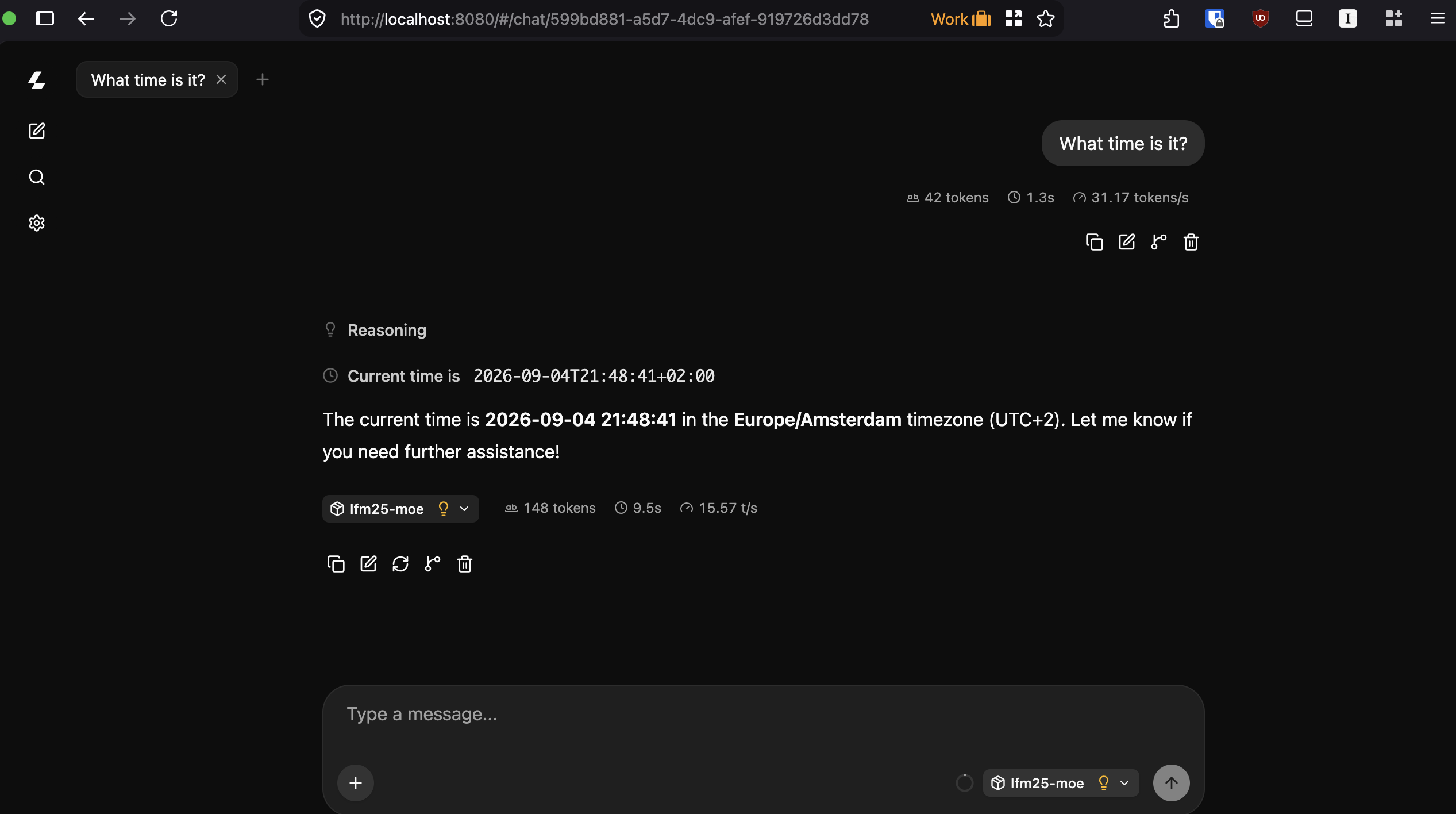
llama-serverstarts an OpenAI-compatible server on your computer, exposing a nice HTML interface for you to use as a local ChatGPT-like chat, accessible at http://localhost:8080 by default (in the near future this will change to http://localhost:9931). This is what you need if you want to use some coding agent or if you are writing your LLM-aware scripts (the API is reachable at http://localhost:8080/v1)llama-cliis a chat-like command line interface; use it only if you are in a terminal, need to make simple experiments, and want to avoid opening a browser.
Both commands share a number of options:
--hf-repopoints to the GGUF file containing the model hosted on Hugging Face. For instance,unsloth/gemma-4-E2B-it-qat-GGUF:UD-Q4_K_XLrefers to the model file on https://huggingface.co/unsloth/gemma-4-E2B-it-qat-GGUF with quantizationUD-Q4_K_XL, and similarly forLiquidAI/LFM2.5-2.6B-GGUF:Q6_K. Llama.cpp will automatically download the model for you, after which you are good to go.I am not going to explain anything about quantization; if you are curious, A visual guide to quantization is an excellent resource to get started. What matters is that a model with 2.6B parameters like LFM2.5-2.6B above requires 5.6 or even 11.2 GB of RAM to run, because each of its 2.6B parameters uses 16 or 32 bits to be stored. There are techniques to reduce the precision to approximately 8 (Q8), 6 (Q6), or 4 (Q4) bits, at the price of some quality loss but potentially huge gains in speed and memory for low-resource hardware. The LFM2.5 from the example only needs 2.86 GB at Q8, 2.22 GB at Q6, and 1.67 GB at Q4. The other letters appearing in the quantization identify the type of algorithm used and which weights are shrunk.
--temp(temperature),--top-k,--top-p,--repeat-penalty(or repetition penalty), are all parameters for the inference.--spec-type draft-mtp: some models, like Qwen or Gemma, have speculative decoders that help speed them up. If you want to know more, look up ngram, MTP, or DSpark; otherwise just try the line above, see if it works, and if the speed improves (you only see improvements with good enough GPUs though).--ctx-size 32768: this is the model context; in some sense, it indicates how much it remembers of the chat. The default is 4096. If you don’t need a long chat, keep the default since the longer the context the more additional memory you will need. While the context generally uses 32 bits for its storage, you can reduce this by playing with the-ctvand-ctkparameters. In many cases setting them both toq8_0cuts the amount of memory required for the context by a factor of 4 at a negligible cost, but small models can be a bit sensitive to this. You’ll need some trial and error.--no-mmproj: Gemma4 E2B can also read images and audio (up to 30s); this is done using an additional small “model” saved in an mmproj file. This flag says: save the memory, I only need to operate on text. Drop it if you want to pass images or audio to the model (provided that the model supports it, of course).-ngl 99: how many layers of the model need to be offloaded to the GPU. With 0 the model runs fully on CPU, while with 99 or 999 any small model will be fully loaded on GPU. It is not necessarily faster; for instance, using my laptop’s GPU slows down inference a lot, while on my Mac mini it improves substantially.
That’s it… you are good to go. There is a lot more you can experiment with to optimize inference or run larger models that don’t fit in memory, but I think the best way to get it right is to look at the help (which is not as helpful as it sounds!) and play around with the flags.
Note that llama-server is able to switch models on the fly; in that case you should create an ini file with the presets for each model instead of directly specifying the model. It works fantastically well, but to avoid making this more complex than needed, I’ll just refer you to the documentation.
# Which model to run?
As a rule of thumb, you need a model that is a lot smaller than your RAM since it needs to be able to store simultaneously the (active part of the) model, its context (yes, all your messages and responses are going to take lots of space), and the rest of your running software.
I already gave away two remarkable small models above. Gemma4 E2B is quite good with text (translation, summarization, sentence manipulation, multilingual use, etc.) and is the only one in this list that also supports audio and video processing (not generation!). And LFM2.5 2.6B is quite good with tool use and information retrieval. Both are very small and can run on a laptop with 8 GB of RAM, and can be fast even without a GPU. Now, don’t get me wrong, these are small models, so you must very carefully review their output, prompt them very precisely if you want them to do anything useful, and use them only for tasks they are stronger at, but they surely punch above their weight in their niches.
If you have 16 GB of RAM you could also try Gemma4 E4B, with a noticeable quality improvement, or even Gemma4 26B A4B. This last one is a lot larger, but since it only effectively needs to load 4B weights at a time, it can also run on less powerful and memory-constrained machines (don’t expect it to be fast!).
The small models above are not really good at coding tasks. For those, in a resource-constrained environment, you could try Qwen3.5-4B (I’d go with unsloth/Qwen3.5-4B-MTP-GGUF:UD-Q4_K_XL). It is small but punches well above its weight, also on tool calling, and runs quite fast.
There are many other interesting models out there, each with their strengths and weaknesses. IBM’s Granite 4 models are very malleable, for example, while Mistral’s Ministral models seem to perform better than the others when using other European languages, NVIDIA Nemotron models tend to also be quite good (but there is no recent small enough release), there are pretty decent very small OCR models when tesseract fails, and so on. Depending on what you need, different more specialized models may be better choices. The only way to find out is to look around on https://huggingface.co and try them out.
Remember to check the model page for the recommended inference settings (usually temperature, top-p or top-k, and repeat-penalty), using different settings may help (depending on what you need) but for some models it makes them practically unusable.
There is also a lot of crap around. As a rule of thumb, if benchmarks look too good and the models are trained by unknown entities, they are probably not worth your time.
# A note about audio
Now all these models, even the ones taking in multimedia input, are only going to produce text (or work with relatively short amounts of audio).
If you would like something to read your text out loud, on constrained hardware the best option in my opinion is kokoro; it is tiny, very fast, and quite decent for machine-generated audio. I don’t know what is the best way of using it because I use my own tool: kokoro-reader. There are many Text-To-Speech (TTS) models; you can search on Hugging Face for them too, but I think you would soon agree with me (or maybe prefer Pocket TTS).
There is also another extremely useful family of LLMs: the Speech-To-Text (STT) ones. I used to dictate stuff to my phone while cycling, and it does a decent job of transcribing what I mean, but recent very small STT models have just become vastly superior (in some cases at a much higher computational cost though).
Many people know Whisper by OpenAI. I don’t use that. Unless you use the very large one, it is slow and cumbersome and not that good. My first eye-opener was NVIDIA Parakeet, a lot faster for the same quality. But what really changed the game for me was Qwen3-ASR. I am running it with my fork of a C implementation by Antirez. In fact, even the small model is astonishingly good, multilingual, and does an ok job also at translating on the fly (all local!).
For English-only, IBM has released Granite Speech 5.0 which is also very small and exceptionally fast. It can easily transcribe faster than real time on my old laptop. This I run with my own C engine, not yet released. Once I have time to polish it, it will appear on my GitHub page.
In any case, most STT and TTS models can be run with the cousin of llama.cpp: audio.cpp. It also has a web interface and is very customizable but, not using it, the best I can do is point you directly at its README.
# Coding agents
While you can in principle enable tool use directly in llama.cpp server, this is a security nightmare, and with small models you should not be surprised if they suddenly screw up your computer by mistake. You should either learn about MCP and enable specific (hopefully sandboxed) ones, for instance to allow web search, or try a small and simple coding harness.
This is a chat, running in your terminal, and able to interact with your files.
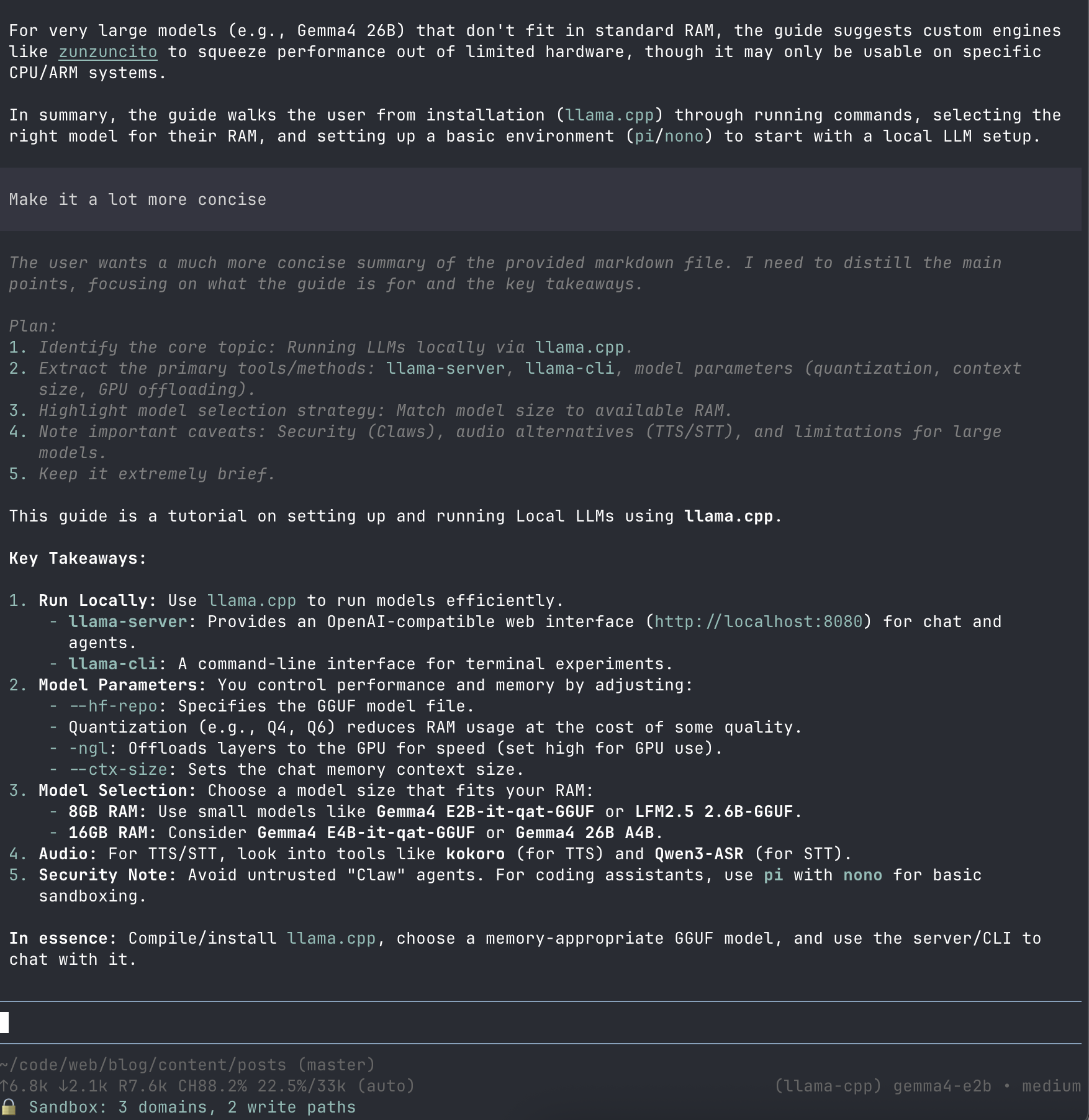
Since you will likely have very little context available and rather constrained computing power for your models, you want to get one that wastes as few tokens as possible. I would recommend using pi or another very barebones tool like kon or hax, the latter supporting llama-server out of the box. The guide below is written for pi but applies pretty much to all of them.
Very easy to install and use if you have some familiarity with a terminal (and if not, you should probably not do it), but very much unsandboxed. While you can install a sandboxing plugin, I would avoid it and use the sandbox that comes with your OS via nono.
This means that you should install both nono and pi, then run
nono run --allow-cwd pi
If when working it needs to access some other folder, it will fail and tell you explicitly what to do.
To connect pi to your local models, you can either use the pi-llama plugin, or edit ~/.pi/agent/models.json to include
{
  "providers": {
    "llamacpp": {
      "baseUrl": "http://127.0.0.1:8080/v1",
      "apiKey": "none... veery bad!",
      "api": "openai-completions",
      "models": [
        {
          "id": "unsloth/Qwen3.5-4B-MTP-GGUF:Q4_K_XL",
          "contextWindow": 16000,
          "maxTokens": 8192
        },
        {
          "id": "unsloth/gemma-4-E2B-it-qat-GGUF:Q4_K_XL",
          "contextWindow": 32000,
          "maxTokens": 8192
        },
        {
          "id": "LiquidAI/LFM2.5-2.6B-GGUF:Q6_K",
          "contextWindow": 32000,
          "maxTokens": 8192
        }
      ]
    }
  }
}
where the id should match the models you want to use, and the baseUrl may need to have 8080 replaced by 9931 very soon.
You are ready to go. Just remember to start llama-server, then launch pi with nono and ask it to read or write some markdown or HTML file and see what happens :)
Beware: processing a not-so-long file can be unbearably slow if you don’t have a decent GPU… Try one of the other mentioned options in that case, or call pi --offline --no-extensions --no-skills --no-prompt-templates -nc -nt --thinking low --system-prompt "custom-purpose system/role prompt" (a good way to use it purely for chat, though you lose tool access).
# Largish models on low-resource systems
We reached the end of this. Now many of the models above will not run on a machine with just 8 GB of RAM, unless you also have a GPU that can lend you some extra memory. This is a problem for recent Apple hardware if you, like me, are RAM-poor.
Turns out that you can still run pretty decent models at pretty decent speed, but you need to customize the engine to squeeze as much as possible from your hardware and to be smart in loading and unloading the model to disk. I supervised a vibecoding of my own thing zunzuncito to run quantized Gemma-4 26B-A4B, LFM2.5-8B-A1B, Maple-preview 20B-A1B and Ling-3.0-tiny on my limited hardware.
I only tested it on Intel and ARM macOS, and there it works like a charm. It should work also on Linux (CPU only), but it is only usable if you have a decent enough CPU (a 10-year-old i7 works very well) and a fast SSD. Not worth even trying otherwise. I dropped it here in case, like me, you are resigned to wait for the bubble to burst until you can buy more modern hardware…
# Update (Artificial Intelligence Index on 5 September 2026)
In response to this post, someone pointed me to the Small Models page of the Artificial Intelligence Index, and especially to the performance of the recent Ling 3.0 Tiny (~8B parameters, of which 1.3B are active at a time). I tweaked the AA Index graph to include all sufficiently small models from the list above (and more). Sadly, LFM2.5 2.6B is not there, I bet it would not score badly.
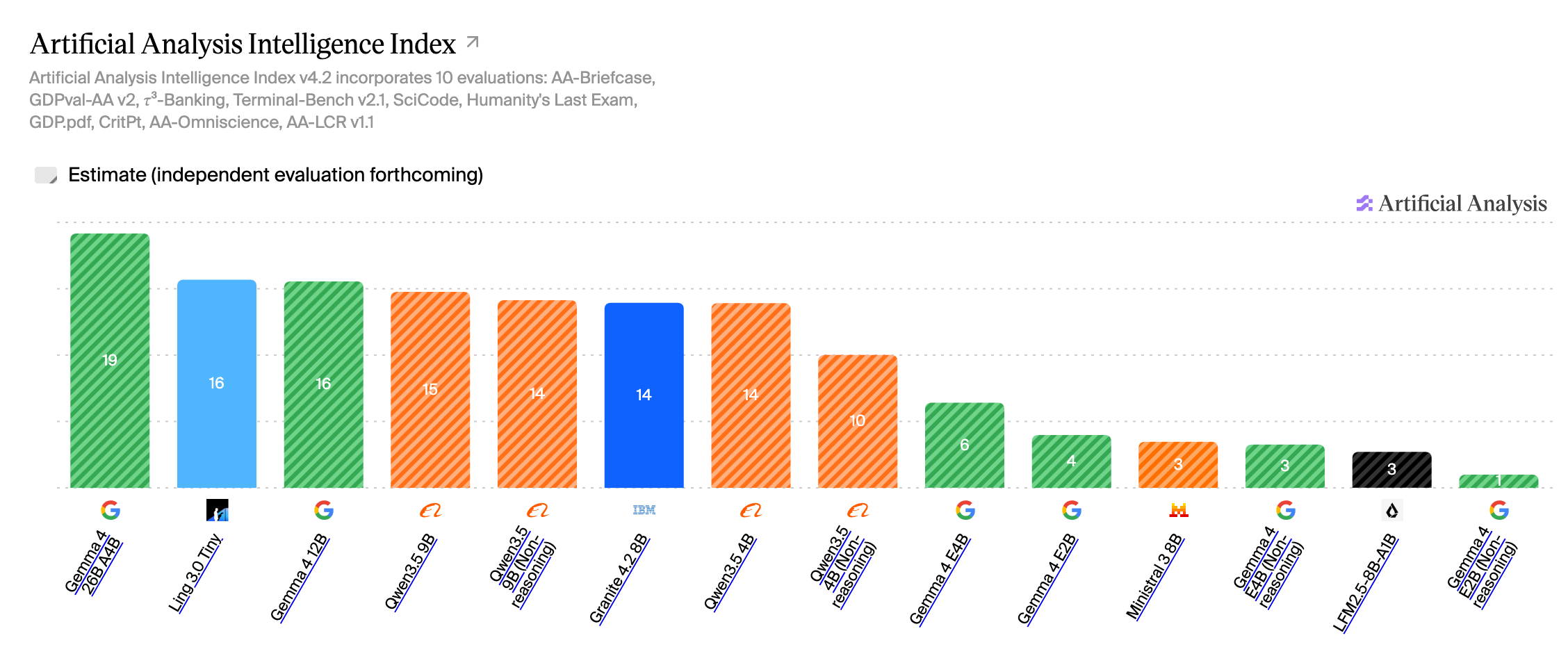
Always take these benchmarks with a grain of salt, especially the aggregated value above for small models, since it is an average of different types of capabilities. But if you open the page linked above and look at the tests that were run, you can get a rough idea of what each model can do well and what you should avoid.
As for Ling 3.0 Tiny, I added it to zunzuncito out of curiosity but have not had time to try it out, so I cannot say much from direct experience. From what I could read online, it works remarkably well for agentic tasks (for example, when used as a model inside pi) and is really fast, but it is not as strong in terms of multilingual capabilities or prose.